
 Data Studio
 Claude
 ChatGPT
 MCP Server
 Google Sheets
 Microsoft Excel
 Power BI
 BigQuery
 Snowflake
 SQL Databases
 Amazon S3
 FTP Server

Connect Pinterest Analytics to Claude
Ask Claude about your Pinterest Analytics data alongside your ads and analytics, and get answers from your real numbers in seconds. No exports, no copy-paste, no code.



Questions about Pinterest Analytics you can ask Claude
Examples for social and local sources. Claude pulls the numbers through Power My Analytics and answers in plain English.
What you can do with PMA and Claude
Power My Analytics connects Claude to the Pinterest Analytics metrics you need, so you can get AI insights and build dashboards right in Claude.
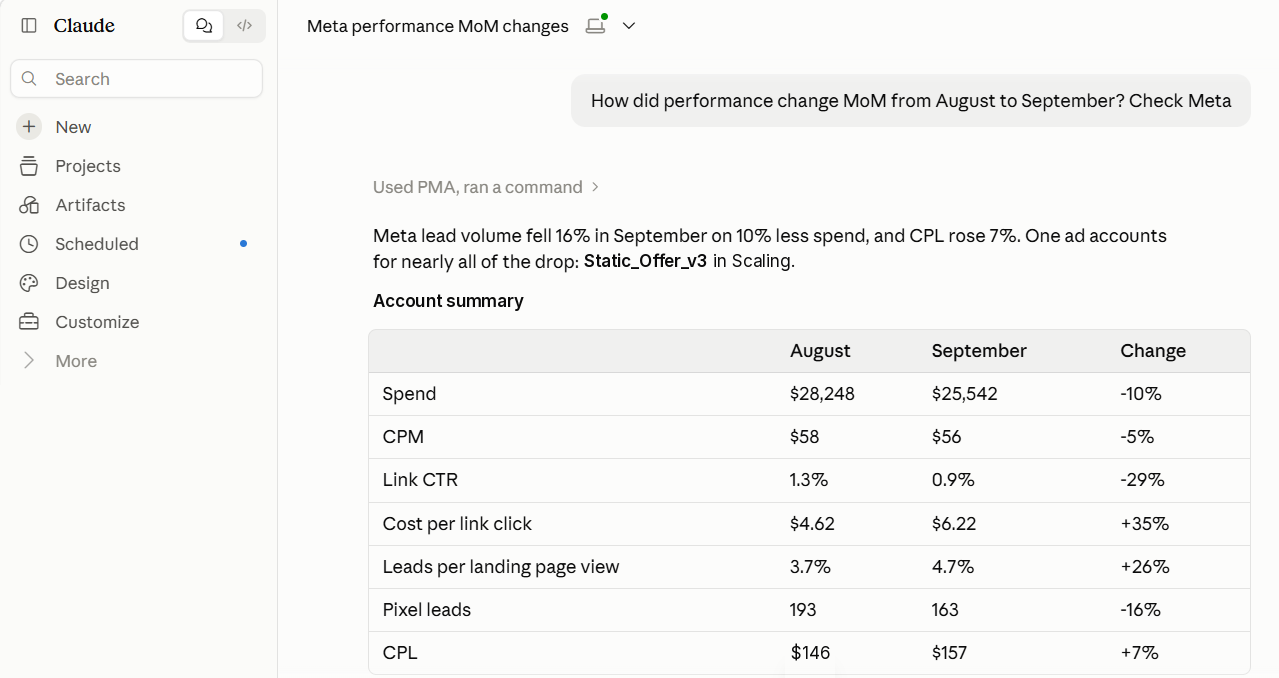
Connect Pinterest Analytics to Claude in three steps
Everything included with Pinterest Analytics
Customer-focused differentiators
 Power My Analytics
Pinterest Analytics + Claude FAQ
Can Claude read my Pinterest Analytics data?
Yes. Once Pinterest Analytics is connected to Power My Analytics and the connector is added in Claude, it can query your Pinterest Analytics data directly and answer from your real numbers.
Which Pinterest Analytics metrics are available?
Everything in the Pinterest Analytics field list is available to Claude. See the link under Key Features.
Can I combine Pinterest Analytics with my other marketing data?
Yes. The same connection reaches every source on your account, so Claude can compare Pinterest Analytics with Google Ads, Meta, GA4 and more in one answer.
Is the Claude connection an extra cost?
No. Connecting your data to Claude is included on every plan and covers over 95% of customers' needs at no extra cost.
Can Claude make changes in Pinterest Analytics?
Coming soon. Write actions are in final testing. Today the connection reads your data, so Claude can analyze performance and recommend changes for you to make.
 Facebook Page Insights to Claude
 X Analytics (Twitter) to Claude
 LinkedIn Company Analytics to Claude
 Quora Ads to Claude
Connect Pinterest Analytics to Claude today
14-day free trial. No credit card required. Every connector and MCP access included.
View pricing


