July 9th, 2024

Apple Search Ads is a powerful tool for mobile app marketers, allowing them to promote their apps at the top of App Store search results. With over 70% of App Store visitors using search to find apps, this platform offers a prime opportunity to increase visibility and drive downloads. Now Power My Analytics users can seamlessly integrate their Apple Search Ads campaign, ad group, and keyword data into their preferred data destinations:
Apple Search Ads to Google Looker Studio – Transform your metrics into stunning visual reports. Create interactive dashboards accessible from any device, perfect for data-driven storytelling.
Apple Search Ads to Google Sheets or Microsoft Excel – Leverage daily data refreshes to merge and manipulate your Apple Search Ads data using our spreadsheet addons. Ideal for blending with other sources and creating custom formulas.
Apple Search Ads to BigQuery or MySQL – Take full ownership of your Apple Search Ads data by exporting it to your own data warehouse. Aggregate, build histories, and maintain complete control over your data.
Get a comprehensive overview of your app’s performance with key metrics like Impressions, Taps, Installs, Spend, and Average CPA, all automatically integrated into your custom reports.

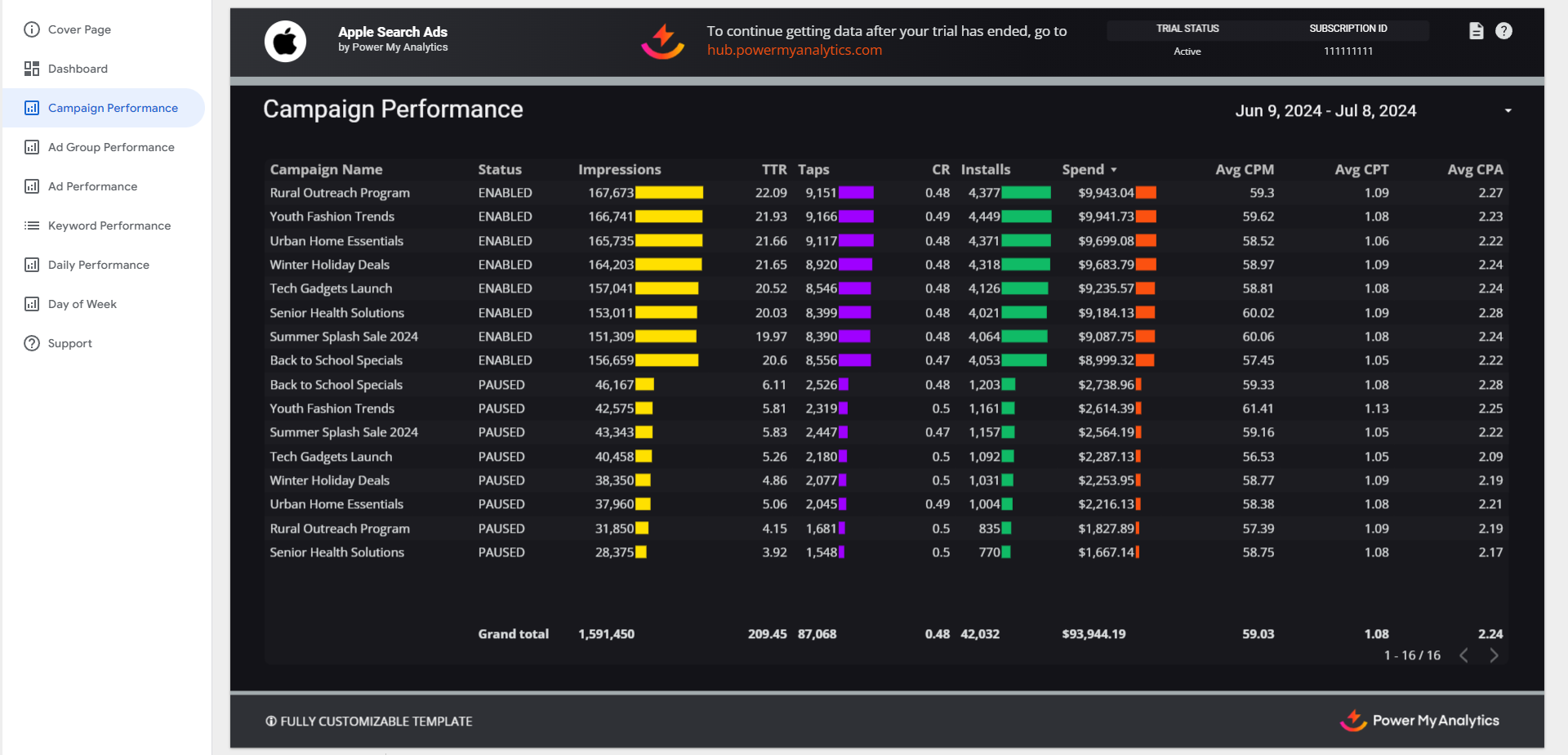
Dive deep into your campaign performance with detailed metrics including Campaign Name, Status, Impressions, TTR (Tap-Through Rate), Taps, CR (Conversion Rate), Installs, Spend, Average CPM, Average CPT, and Average CPA.
Fine-tune your ad group strategy by monitoring metrics such as Ad Group Name, Status, Impressions, TTR, Taps, CR, Installs, Spend, and various cost averages.

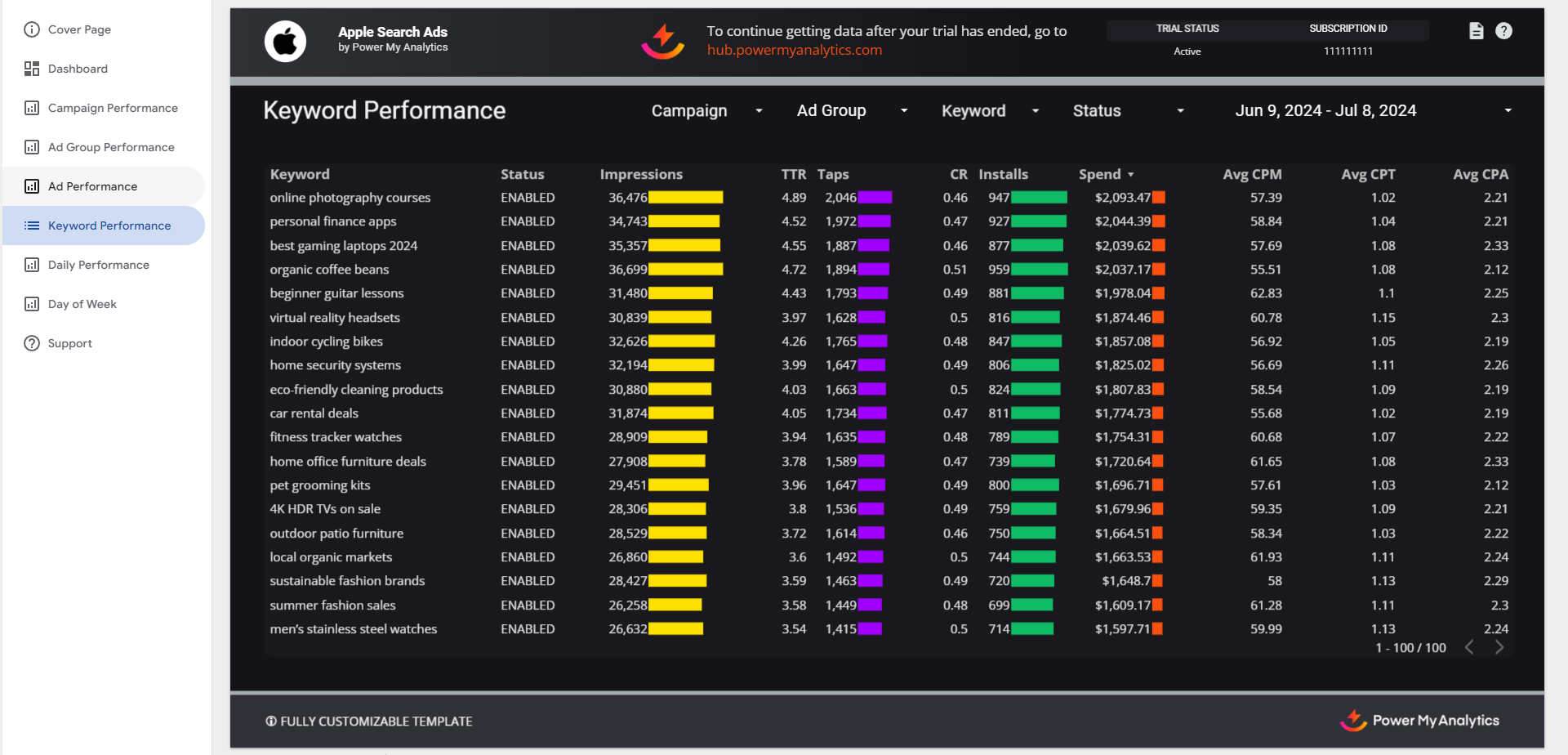
Gain insights into your keyword performance with data on Keyword, Status, Impressions, TTR, Taps, CR, Installs, Spend, and cost averages to optimize your targeting.
Stay on top of your daily performance with metrics including Date, Impressions, TTR, Taps, CR, Installs, Spend, cost averages, New Downloads, and Redownloads.

Preferred by data-driven businesses


 Amazon S3
 BigQuery
 Data Studio
 FTP Server
 Google Sheets
 Microsoft Excel
 Power BI
 Power My Analytics API
 Snowflake
 SQL Databases


